The transition from a cool AI prototype running in a Jupyter Notebook to a production-grade, scalable microservice is where most projects hit a wall. You have a working model, maybe even a slick UI, but when you try to deploy it into a real cloud environment, it crashes, hangs, or costs a fortune.
Why? Because standard microservice architecture treats AI agents like stateless “Cashiers,” while in reality, they are stateful “Project Managers.”
To build robust, enterprise-ready AI systems using C# and Kubernetes, you need to rethink your architectural foundation. Let’s break down the operational shift required to containerize these complex entities effectively.
The Stateful Nature of AI Agents
To understand the operational challenge, we must dissect the lifecycle of an AI agent. Unlike a stateless function, an agent is a persistent entity.
- The Cashier (Traditional Microservice): Receives an order, processes it, and immediately forgets the customer. The interaction is transactional and ephemeral.
- The Project Manager (AI Agent): Retains context. They remember the project’s history, ongoing tasks, dependencies, and the personalities of team members. If the Project Manager goes home for the night (pod shutdown) and returns the next morning (pod restart), they must resume work without losing the thread of conversation.
In C#, state is typically held in memory within object instances. However, containers are inherently ephemeral. If a Kubernetes node reboots or a pod crashes, the in-memory state of the agent is lost. Therefore, the theoretical foundation of cloud-native AI agents relies on two pillars:
- Externalized State: Persisting the agent’s “memory” (conversation history, tool execution logs, and plan steps) to a durable store (e.g., Redis, PostgreSQL, or Azure Cosmos DB) rather than relying solely on List<T> or Dictionary<TKey, TValue> in memory.
- Process Continuity: Ensuring the C# process itself can restart and hydrate its state from the external store, effectively “waking up” with full recollection.
The Microservices Boundary for Agents
We treat an agent not as a single object, but as a bounded context — a microservice. This service encapsulates:
- The Orchestrator: The C# logic managing the agent’s decision loop (planning, reflection).
- The Inference Client: The interface communicating with LLMs (OpenAI, Azure OpenAI, or local models).
- The Memory Store: The vector database interface (e.g., Pinecone, Milvus) for semantic recall.
The Analogy: Think of a Restaurant Kitchen. The agent is the entire kitchen station, not just the chef. The station includes the prep area (memory retrieval), the stove (inference), and the plating area (response formatting). If the stove is overwhelmed (high inference load), we don’t necessarily need a bigger kitchen; we need more stoves (horizontal scaling) or faster chefs (optimized models).
Containerizing the Agent Runtime
Containerization in C# is typically handled via Docker and .NET’s cross-platform runtime. However, AI agents have specific runtime requirements that differ from standard web APIs.
- Dependency Management: AI agents rely heavily on external SDKs (e.g., Microsoft.SemanticKernel, OpenAI.SDK, Azure.Identity). These dependencies must be locked down in the container image to ensure reproducibility.
- Long-Running Processes: Standard web containers are designed to handle requests and return. Agents often run background loops (e.g., “ReAct” loops: Reasoning and Acting). The container entry point (ENTRYPOINT in Docker) must execute a long-running BackgroundService in C#.
- Resource Constraints: LLM inference is memory-hungry. A container requesting 2GiB of RAM might crash if the agent loads a large local model (like a 4-bit quantized Llama).
The Code Concept (Theoretical):
In a standard web app, the Program.cs might look like this:
var builder = WebApplication.CreateBuilder(args);
var app = builder.Build();
app.MapGet("/", () => "Hello World!");
app.Run();
For an AI Agent, the container entry point is a persistent service:
using Microsoft.Extensions.Hosting;

public class AgentService : BackgroundService
{
    protected override async Task ExecuteAsync(CancellationToken stoppingToken)
    {
        while (!stoppingToken.IsCancellationRequested)
        {
            // The Agent's Reasoning Loop
            await Task.Delay(1000, stoppingToken);
        }
    }
}
This distinction is vital: the container is not just hosting an API; it is hosting a living process.
Orchestration: Kubernetes as the Operating System
Once containerized, the agent needs an environment to run in. Kubernetes (K8s) acts as the operating system for these distributed agents. The theoretical challenge here is managing StatefulSets versus Deployments.
- Deployments (Stateless): Ideal for the “Cashier” analogy. Pods are interchangeable.
- StatefulSets (Stateful): Required if the agent has a unique identity or requires stable storage.
However, most AI agents are hybrid. They are stateless in compute (the reasoning logic) but stateful in data (the memory). Therefore, we typically use Deployments for the agent pods and rely on external services (Redis, SQL) for state.
The Scaling Challenge:
Scaling a standard web app is trivial: more requests = more replicas. Scaling an AI agent is complex because inference is expensive.
- Vertical Scaling: Giving the pod more CPU/GPU (e.g., using GPU nodes in K8s).
- Horizontal Scaling: Spinning up more agent replicas.
This is where Kubernetes-native patterns come in. We use the Sidecar Pattern. The main container runs the agent logic, while a sidecar container handles telemetry, logging, or proxying requests to the LLM.
Inference Workload Management
The heaviest load on an AI agent is the inference call to the LLM. This is the “stove” in our kitchen analogy. We must manage this workload carefully to avoid bottlenecks and excessive costs.
The Batching Strategy:
LLMs perform best when processing inputs in batches. A single agent might process one user query, but the underlying infrastructure should ideally batch multiple requests to the GPU to maximize throughput.
In C#, we can use System.Threading.Channels or TPL Dataflow to create internal buffers. Instead of sending a request to the LLM immediately, the agent queues the request. A background processor flushes the queue every 100ms or when the batch size reaches 32.
The Routing Strategy:
In a multi-model environment (e.g., using GPT-4 for complex reasoning and a smaller model like GPT-3.5 for simple classification), the agent needs a routing logic.
- Concept: The Strategy Pattern.
- Implementation: An IInferenceStrategy interface with implementations Gpt4Strategy and LocalLlamaStrategy.
- K8s Integration: We can deploy different model servers as separate Kubernetes services. The agent pod selects the appropriate service URL based on the complexity of the task.
Event-Driven Communication
Agents rarely exist in isolation. They collaborate. This requires communication patterns that are resilient and decoupled.
Synchronous vs. Asynchronous:
- Synchronous (HTTP/gRPC): User asks Agent A. Agent A asks Agent B. Agent A waits. This creates tight coupling and potential deadlocks if Agent B is slow.
- Asynchronous (Message Bus): User asks Agent A. Agent A publishes an event: “TaskAssigned”. Agent B subscribes, processes, and publishes “TaskCompleted”. Agent A reacts to the completion event.
The Why: Asynchronous patterns prevent the “thundering herd” problem where a spike in user traffic cascades through the agent network, overwhelming the inference layer.
C# and Cloud Events:
In C#, we utilize libraries like Azure.Messaging.ServiceBus or MassTransit to abstract the message broker. The agent logic becomes event-driven:
// Theoretical Event Handler
public async Task Handle(PlanStepGeneratedEvent evt)
{
    // The agent decides to use a tool
    var result = await _toolExecutor.Execute(evt.ToolName, evt.Arguments);
    // Publish result for the next step in the loop
    await _eventBus.PublishAsync(new ToolExecutionResultEvent(result));
}
This aligns with the Actor Model concepts from previous books but scales horizontally across pods. If an agent pod crashes, the message remains in the queue (if using a durable broker like Azure Service Bus), ensuring no data loss.
Resilience and Fault Tolerance
AI models are non-deterministic. They can hallucinate, fail to format JSON correctly, or time out. The infrastructure must be resilient.
Retry Policies:
In C#, we use libraries like Polly to define retry strategies. However, retrying an LLM call is different from retrying a database call.
- Transient Errors (Network): Retry immediately.
- Rate Limits (HTTP 429): Retry with exponential backoff.
- Content Policy Violations: Do NOT retry; these are permanent failures.
Circuit Breakers:
If the LLM API is down or error-prone, the agent should “break the circuit” and switch to a fallback mode (e.g., a cached response or a simpler rule-based logic). This prevents the agent from flooding a failing service.
A Resilient, Message-Driven C# Implementation
Here is a self-contained C# example demonstrating a resilient, message-driven AI Agent microservice using modern .NET features.
using System.Text.Json;
using System.Threading.Channels;
using Microsoft.Extensions.Hosting;
using Microsoft.Extensions.Logging;

// ==================================================================
// 1. Domain Models: Defines the structure of communication.
// ==================================================================
public record AgentMessage(string AgentId, string Input, DateTime Timestamp);
public record AgentResult(string AgentId, string Response, DateTime Timestamp);
// ==================================================================
// 2. The Agent Logic: Simulates an AI Inference Task.
// ==================================================================
public class AiInferenceEngine
{
    private readonly ILogger<AiInferenceEngine> _logger;
    public AiInferenceEngine(ILogger<AiInferenceEngine> logger)
    {
        _logger = logger;
    }
    // Simulates a CPU/GPU intensive inference call (e.g., LLM prompt processing)
    public async Task<AgentResult> ProcessPromptAsync(AgentMessage message, CancellationToken ct)
    {
        _logger.LogInformation("Agent {Id}: Received input '{Input}'", message.AgentId, message.Input);
        // Simulate network latency and model processing time
        await Task.Delay(new Random().Next(500, 1500), ct);
        // Simple mock logic for the "AI" response
        var response = $"Processed '{message.Input}' -> Logical Conclusion generated.";
        _logger.LogInformation("Agent {Id}: Inference complete.", message.AgentId);
        return new AgentResult(message.AgentId, response, DateTime.UtcNow);
    }
}
// ==================================================================
// 3. The Microservice Host: Orchestrates the Agent's lifecycle.
// ==================================================================
public class AgentWorkerService : BackgroundService
{
    private readonly ILogger<AgentWorkerService> _logger;
    private readonly AiInferenceEngine _engine;
    // Channel<T> provides efficient, thread-safe producer/consumer queues.
    // This decouples message ingestion from message processing.
    private readonly Channel<AgentMessage> _inbox;
    public AgentWorkerService(ILogger<AgentWorkerService> logger, AiInferenceEngine engine)
    {
        _logger = logger;
        _engine = engine;
        // Bounded channel prevents memory overflow if traffic spikes.
        // FullMode.Wait blocks the sender when capacity is reached (backpressure).
        _inbox = Channel.CreateBounded<AgentMessage>(new BoundedChannelOptions(capacity: 10)
        {
            FullMode = BoundedChannelFullMode.Wait
        });
    }
    // ------------------------------------------------------------------
    // Ingestion Point: Simulates an external event (e.g., HTTP Request or Queue Message)
    // ------------------------------------------------------------------
    public async Task EnqueueAsync(AgentMessage message)
    {
        // WriteAsync respects the cancellation token and handles backpressure automatically
        await _inbox.Writer.WriteAsync(message);
        _logger.LogDebug("Message queued for Agent {Id}", message.AgentId);
    }
    // ------------------------------------------------------------------
    // Processing Loop: The heart of the containerized agent
    // ------------------------------------------------------------------
    protected override async Task ExecuteAsync(CancellationToken stoppingToken)
    {
        _logger.LogInformation("Agent Worker Service started. Waiting for messages...");
        // We consume from the channel using 'await foreach'
        // This allows the loop to pause efficiently when no messages exist.
        await foreach (var message in _inbox.Reader.ReadAllAsync(stoppingToken))
        {
            try
            {
                // Process the message using the injected engine
                var result = await _engine.ProcessPromptAsync(message, stoppingToken);
                // In a real scenario, this would publish to an Event Bus (e.g., RabbitMQ, Azure Service Bus)
                // or update a database.
                _logger.LogInformation("Result published: {Response}", result.Response);
            }
            catch (OperationCanceledException)
            {
                // Graceful shutdown requested
                _logger.LogWarning("Processing interrupted due to shutdown signal.");
                break;
            }
            catch (Exception ex)
            {
                // CRITICAL: Never let the worker loop die due to a single bad message.
                // Log the error and move on (or move to a Dead Letter Queue).
                _logger.LogError(ex, "Error processing message from Agent {Id}", message.AgentId);
            }
        }
    }
}
// ==================================================================
// 4. Main Entry Point: Wiring up Dependency Injection and Execution
// ==================================================================
public class Program
{
    public static async Task Main(string[] args)
    {
        var host = Host.CreateDefaultBuilder(args)
            .ConfigureServices(services =>
            {
                // Register the Engine as a Singleton (stateless logic)
                services.AddSingleton<AiInferenceEngine>();
                // Register the Worker as a Hosted Service (runs continuously)
                services.AddHostedService<AgentWorkerService>();
            })
            .ConfigureLogging(logging =>
            {
                logging.ClearProviders();
                logging.AddConsole();
            })
            .Build();
        // Start the background service
        await host.StartAsync();
        // SIMULATION: Inject traffic into the agent to demonstrate the flow
        var agentService = host.Services.GetRequiredService<AgentWorkerService>();
        Console.WriteLine("--- Injecting Simulation Traffic ---");
        // Fire and forget 5 messages to simulate concurrent requests
        var tasks = new List<Task>();
        for (int i = 1; i <= 5; i++)
        {
            var msg = new AgentMessage($"Agent-{i}", $"Query #{i}", DateTime.UtcNow);
            tasks.Add(agentService.EnqueueAsync(msg));
        }
        // Wait for ingestion to complete
        await Task.WhenAll(tasks);
        // Keep the app running long enough to process the queue
        await Task.Delay(5000);
        // Graceful shutdown
        await host.StopAsync();
    }
}
Key Architectural Concepts in the Code
- Channel<T> for Backpressure: We use Channel.CreateBounded to set a capacity. If the agent receives 100 requests per second but can only process 5, the queue fills up. Once full, WriteAsync will pause the caller. This prevents the container from crashing due to Out-Of-Memory (OOM) errors.
- BackgroundService: This is the entry point for the container. It runs on a separate thread when the host starts, allowing the agent to process tasks continuously rather than waiting for an HTTP request.
- await foreach: This modern C# feature allows the loop to iterate over the channel as data becomes available. If the channel is empty, the loop pauses efficiently (yielding the thread) until a message arrives.
- Exception Handling: The try/catch block inside the loop is vital. If one message causes a crash, the entire container restarts. By catching exceptions here, we ensure the worker stays alive to process the next message.
Common Pitfalls to Avoid
1. Blocking the Ingestion Path
A common mistake is performing heavy work directly inside the method that receives the request (e.g., the Controller action).
- Bad: public IActionResult Post([FromBody] string input) { HeavyInference(input); return Ok(); }
- Why it fails: The HTTP request holds open a connection (and potentially a thread) until the inference finishes. If you get 50 requests, you might exhaust the thread pool or connection limit, causing the app to hang.
- Correct: Use the Channel pattern. The EnqueueAsync method returns almost instantly, while the ExecuteAsync loop handles the heavy lifting asynchronously in the background.
2. Unbounded Queues
Using a standard List or Queue without size limits to buffer incoming requests.
- The Risk: If the AI inference engine is slow (e.g., waiting for a GPU), and traffic spikes, the memory usage of that list will grow indefinitely.
- The Result: The container hits its memory limit (MemoryLimit in Kubernetes), gets OOMKilled (Out of Memory Killed), and restarts.
- The Fix: Always use Channel.CreateBounded to define a hard limit. When the limit is reached, apply backpressure (slow down the clients) rather than crashing.
Summary
By containerizing AI agents in C#, we gain portability and isolation. By orchestrating them in Kubernetes, we gain scalability and resilience. However, the “magic” lies in the internal architecture of the C# code:
- Interfaces over Implementations: Using IChatClient or IMemoryStore allows us to swap infrastructure without changing the agent's core logic.
- Asynchronous Streams: Using IAsyncEnumerable<T> allows the agent to stream responses from the LLM to the user in real-time, rather than waiting for the full generation, improving the perceived latency.
- Dependency Injection: .NET’s DI container is used to wire up the complex dependencies (Strategies, Buffers, Policies) at startup, ensuring the agent pod initializes correctly every time it scales up.
This theoretical foundation moves the AI agent from a prototype running in a Jupyter Notebook to a production-grade, scalable microservice capable of handling enterprise workloads.
Let’s Discuss
- In your experience, is the “Actor Model” (like Orleans) overkill for AI agents, or is it the perfect fit for managing their stateful nature?
- How do you currently handle the “Thundering Herd” problem when your AI agents trigger expensive API calls? Do you rely on Kubernetes scaling or application-level buffering (like the Channel pattern shown above)?
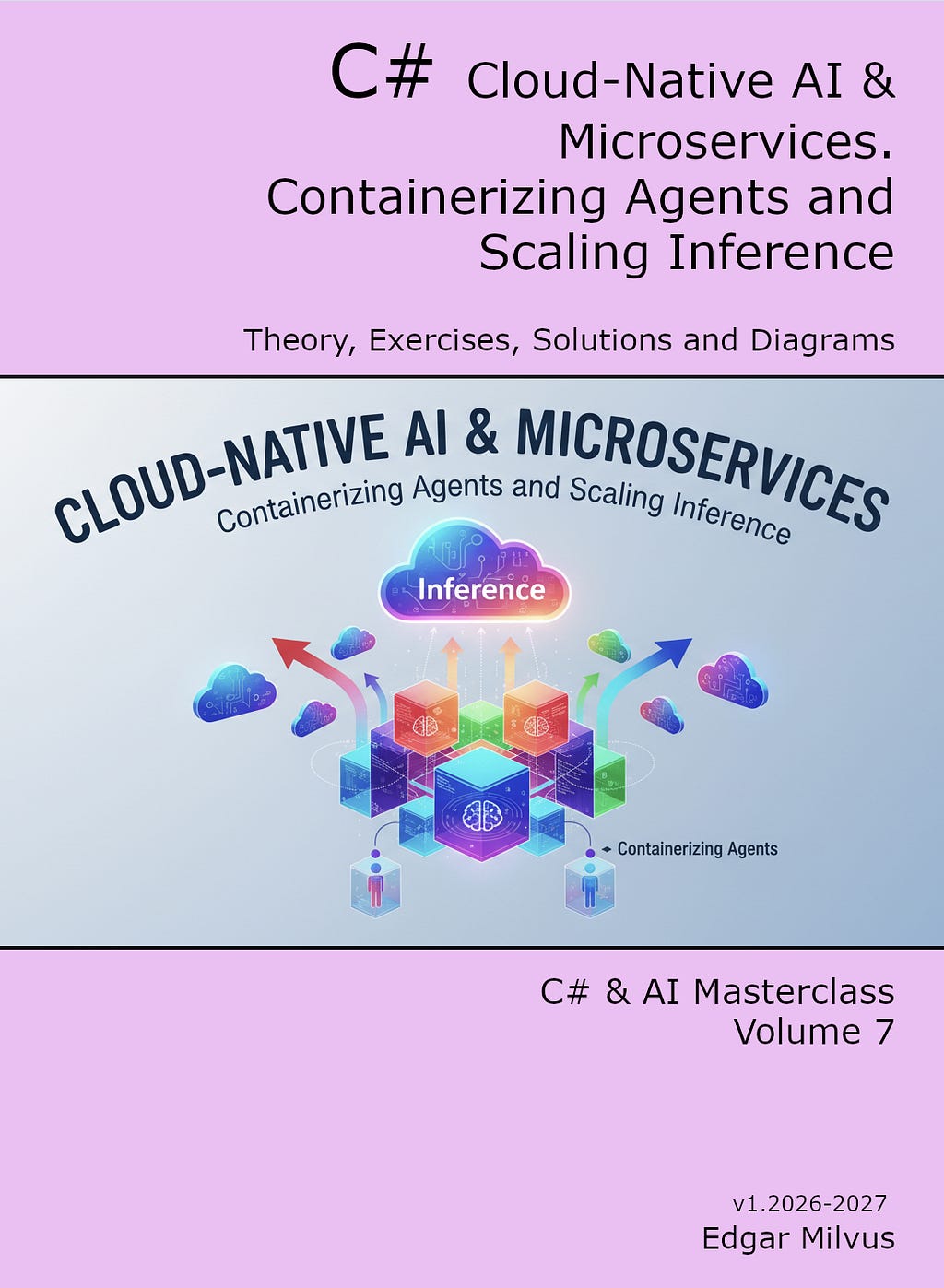
The concepts and code demonstrated here are drawn directly from the comprehensive roadmap laid out in the ebook
Cloud-Native AI & Microservices. Containerizing Agents and Scaling Inference.
Free lessons on Youtube.
You can find it here: Leanpub.com.
Check all the other programming ebooks on python, typescript, c#: Leanpub.com.
If you prefer you can find almost all of them on Amazon.
Why Your C# AI Agents Will Fail in Production (And How to Fix It) was originally published in Level Up Coding on Medium, where people are continuing the conversation by highlighting and responding to this story.