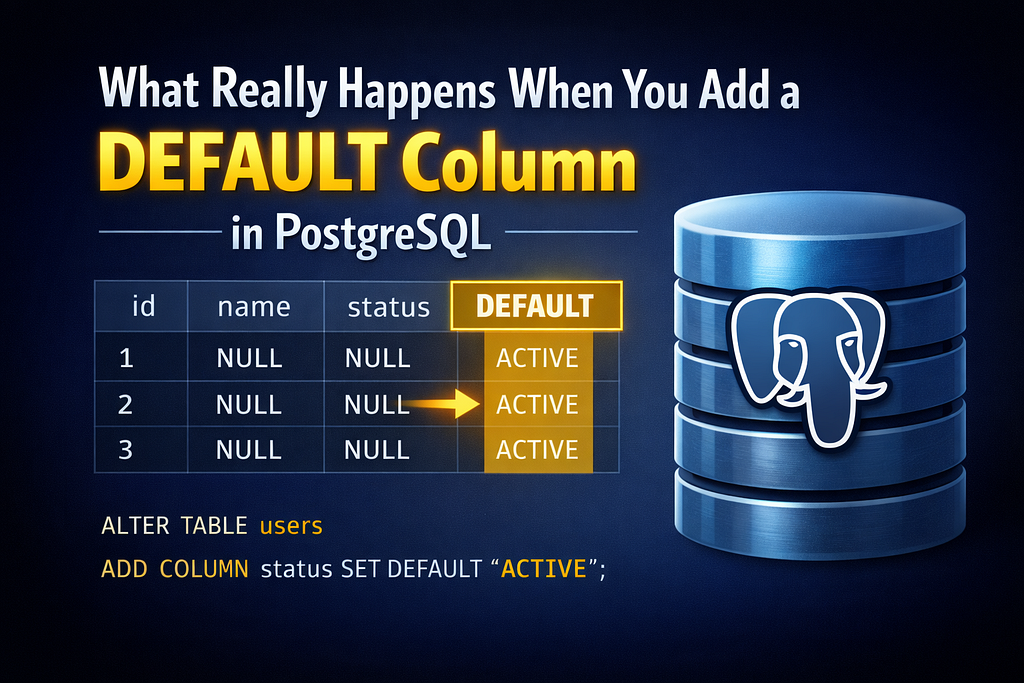
How many times have you written ALTER TABLE ADD COLUMN DEFAULT — probably countless. It feels like a routine operation, nothing major.
But some time back, when I was reading about how PostgreSQL stores data on disk, a question hit me — what actually happens when you add a new column? Since all rows are stored together on disk, does PostgreSQL go and update every single row, shifting data by N bytes?
That looked interesting enough to dig into. So I did.
Turns out, this used to be exactly how it worked — until PostgreSQL 11 changed things completely.
To prove this, I created a simple teachers table with a few columns and inserted 100 identical rows.
Setup
CREATE TABLE teachers (
  id SERIAL PRIMARY KEY,
  name TEXT,
  city TEXT,
  subject TEXT,
  status TEXT
);

-- insert rows
INSERT INTO teachers (name, city, subject, status)
SELECT 'john', 'bangalore', 'mathematics', 'active'
FROM generate_series(1, 100);
All 100 rows are identical — same name, same city, same everything. This will make the comparison cleaner later. I kept the data the same for a reason which will be clear later in this article.
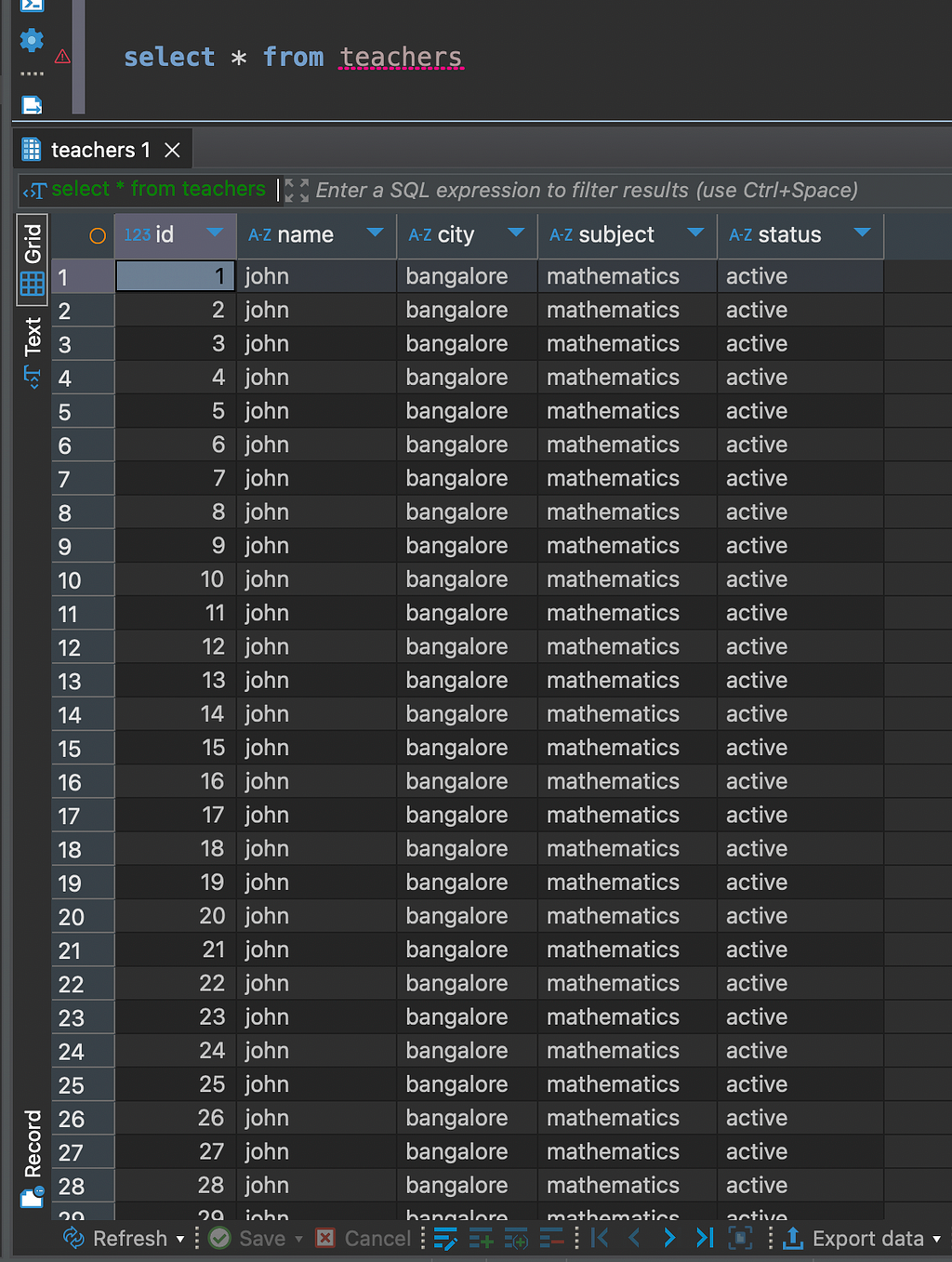
Let’s view the data
select * from teachers
Before state
Before adding any new column, I captured the baseline state of the rows.
A quick intro to the columns we’ll be tracking:
- ctid — physical location of the row on disk. Format is (page, slot). If this changes, the row was moved.
- xmin — transaction ID that created this row version.
- xmax — transaction ID that deleted or updated this row. 0 means the row is live.
SELECT ctid, xmin, xmax, id, pg_column_size(teachers.*) AS row_size
FROM teachers
LIMIT 5;
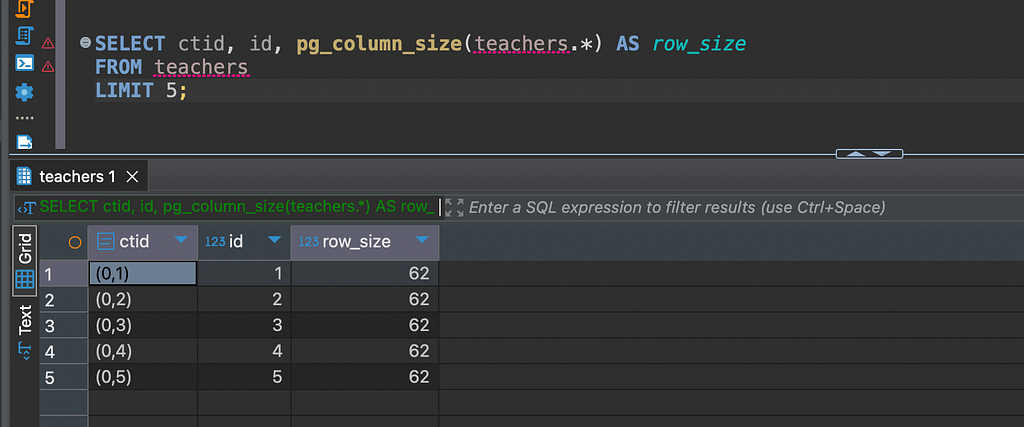
All rows are on page 0, xmax is 0 (live), and every row is the same size — expected since all data is identical.
PostgreSQL stores metadata about every column in a system catalog called pg_attribute. Two columns are important for us:
- atthasmissing — boolean, tells Postgres whether this column has a “missing” value for old rows.
- attmissingval — the actual default value stored in the catalog.
Before adding the new column, both are empty:
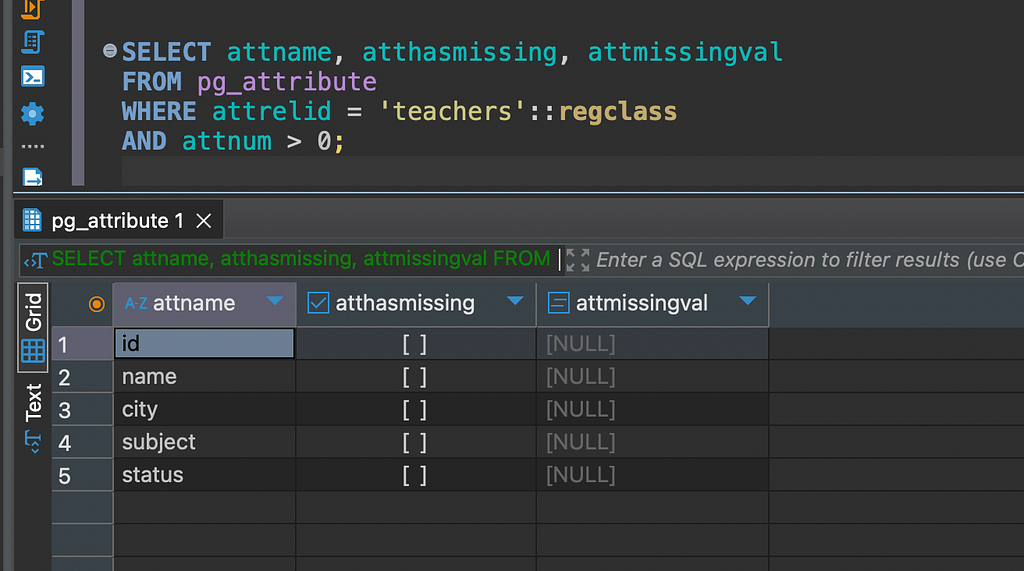
Nothing unusual — atthasmissing is null for all columns.
Before moving ahead, I also checked the total table size:
SELECT pg_size_pretty(pg_total_relation_size('teachers'));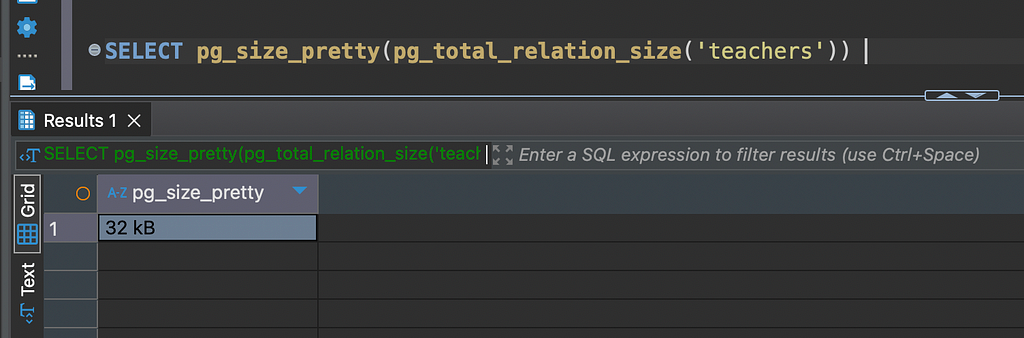
Keep this number in mind — we’ll check it again after adding the column.
The above was all the before state. We gonna be adding the new column now with default value and will be capturing the after state
After state
Now I added a new column with a DEFAULT value:
ALTER TABLE teachers
ADD COLUMN department TEXT DEFAULT 'computer-science-engineering';
Instant. No delay. On a production table with millions of rows, this would still be instant — and that’s exactly what we’re about to prove.
Let’s check the table size first adding the column:
SELECT pg_size_pretty(pg_total_relation_size('teachers'));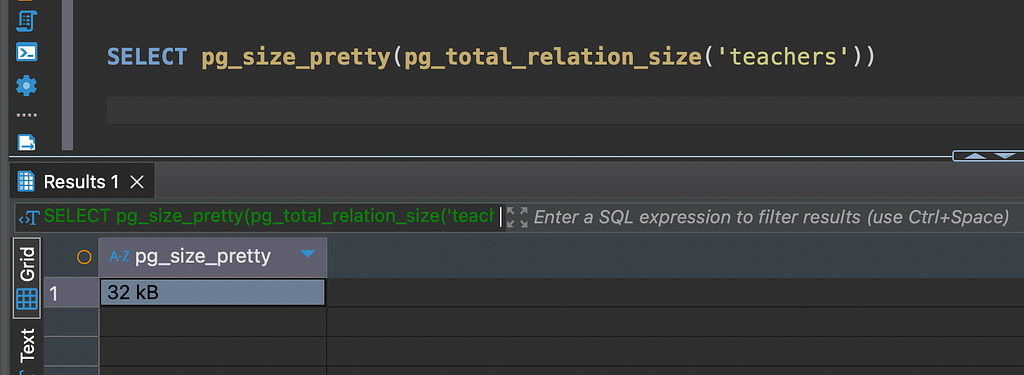
Same as before. Not a single byte added. PostgreSQL didn’t touch the table data at all.
Now let’s check the rows after adding the column:
SELECT ctid, xmin, xmax, id, pg_column_size(teachers.*) AS row_size
FROM teachers
LIMIT 5;
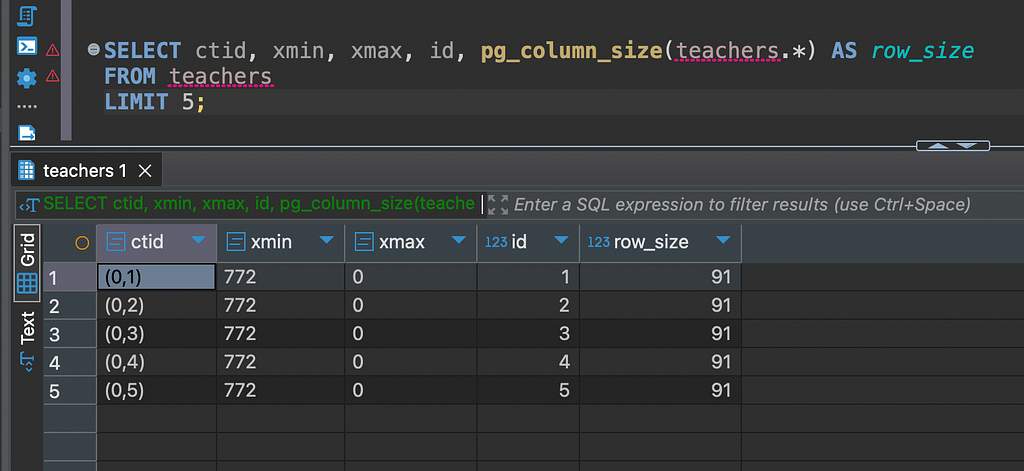
Three things to notice here:
- ctid — same as before, rows haven’t moved on disk
- xmin/xmax — unchanged, no new row versions created
- row_size — increased, but this is PostgreSQL injecting the default value at runtime, not from disk
Now let’s check pg_attribute:
SELECT attname, atthasmissing, attmissingval
FROM pg_attribute
WHERE attrelid = 'teachers'::regclass
AND attnum > 0;

Look at the department row — atthasmissing is now true and attmissingval holds computer-science-engineering.
This is the key. PostgreSQL didn’t touch a single existing row. It just stores the default value here in the catalog and serves it on-the-fly whenever an old row is fetched.
Let’s view the data again
select * from teachers;
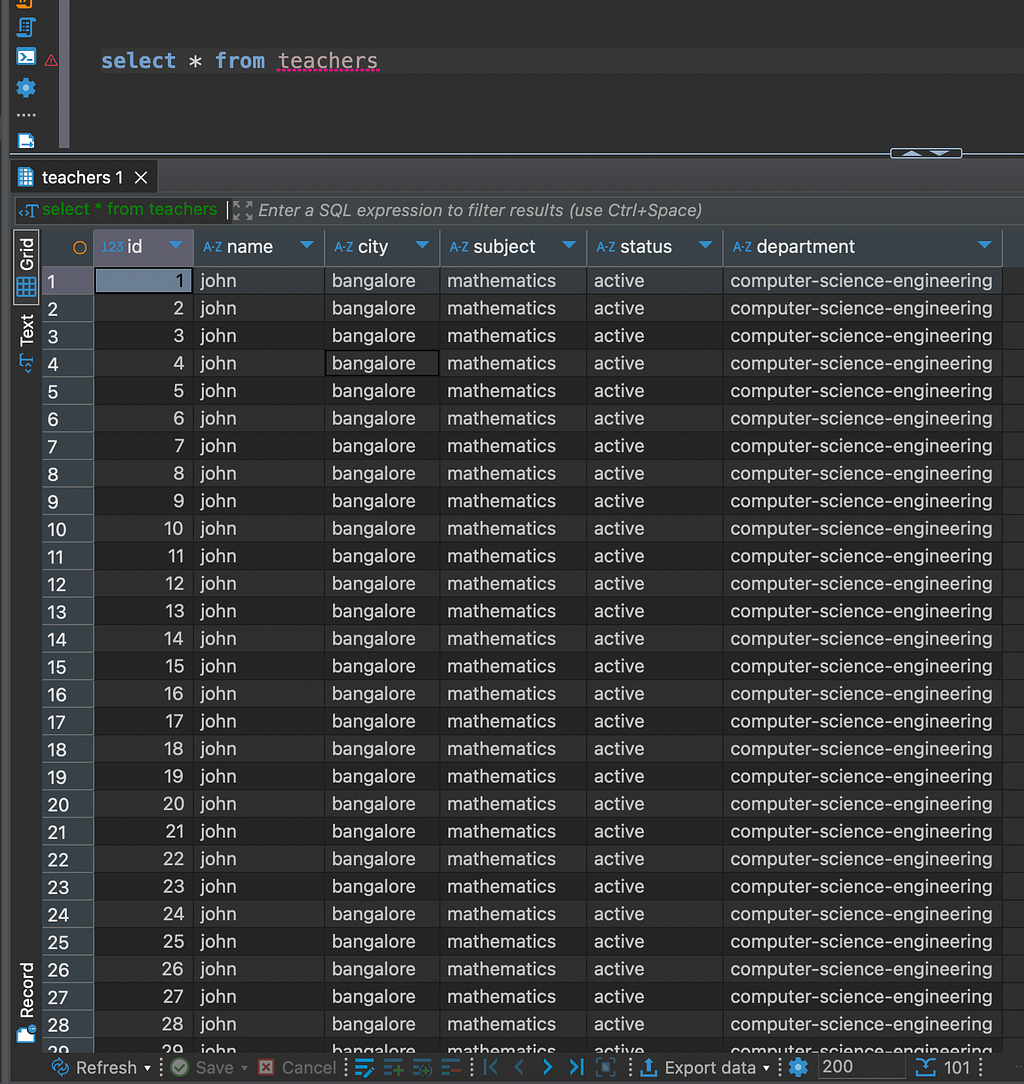
SELECT * shows department for all rows, the old ones too. The disk data doesn't have it. The rows were never updated. So where is this value coming from?
This is where attmissingval comes in. Every time PostgreSQL fetches an old row that was created before the column was added, it checks pg_attribute — if atthasmissing is true, it picks up the value from attmissingval and injects it into the result on-the-fly.
No row rewrite. No disk update. Just a catalog lookup at read time.
This is why ALTER TABLE ADD COLUMN DEFAULT is instant in PostgreSQL 11 and above — the work is deferred. Old rows get the value from the catalog, new rows and updated rows get it written physically on disk.
Before PostgreSQL 11, this optimization didn’t exist. Every ALTER TABLE ADD COLUMN DEFAULT triggered a full table rewrite — every row updated, table locked. On a large table, that meant minutes of downtime.
At this point, a natural question comes up — does PostgreSQL keep serving the default value from the catalog forever? Or does it get physically written at some point?
The answer is: new rows always get the value written physically on disk. The catalog is only a fallback for rows that existed before the column was added.
Let’s verify this by inserting a new row and checking the disk directly.
INSERT INTO teachers (name, city, subject, status)
VALUES ('jane', 'mumbai', 'physics', 'active');
Let’s compare the new row with the older one.
SELECT lp, t_ctid, length(t_data) AS data_length
FROM heap_page_items(get_raw_page('teachers', 0))
WHERE lp IN (1, 101);
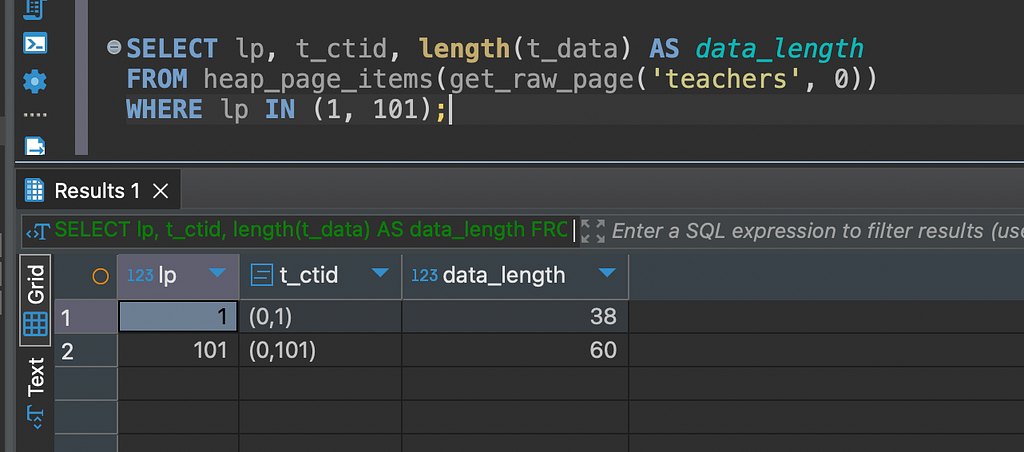
- lp 1 (old row, inserted before ALTER TABLE) — smaller data_length, department not on disk
- lp 101 (new row, inserted after ALTER TABLE) — bigger data_length, department physically written on disk
Conclusion
Same table, same column, two completely different storage behaviors. The old row doesn’t know department exists on disk — PostgreSQL handles that silently at read time using attmissingval. The new row has it physically written, no catalog lookup needed.
And that’s the full picture.
The next time you run ALTER TABLE ADD COLUMN DEFAULT on a large table and it finishes instantly — now you know why. PostgreSQL didn't rewrite a single row. It stores the default value inpg_attribute, serves it on-the-fly for old rows, and physically writes it only when new rows are inserted or old rows are updated.
It’s always good to have proof. Not just “it works fast” — but actually seeing on disk why it works fast. That’s what makes the understanding stick.
References
What Really Happens When You Add a DEFAULT Column in PostgreSQL? was originally published in Level Up Coding on Medium, where people are continuing the conversation by highlighting and responding to this story.