And how one incident turned into a reusable DevOps workflow
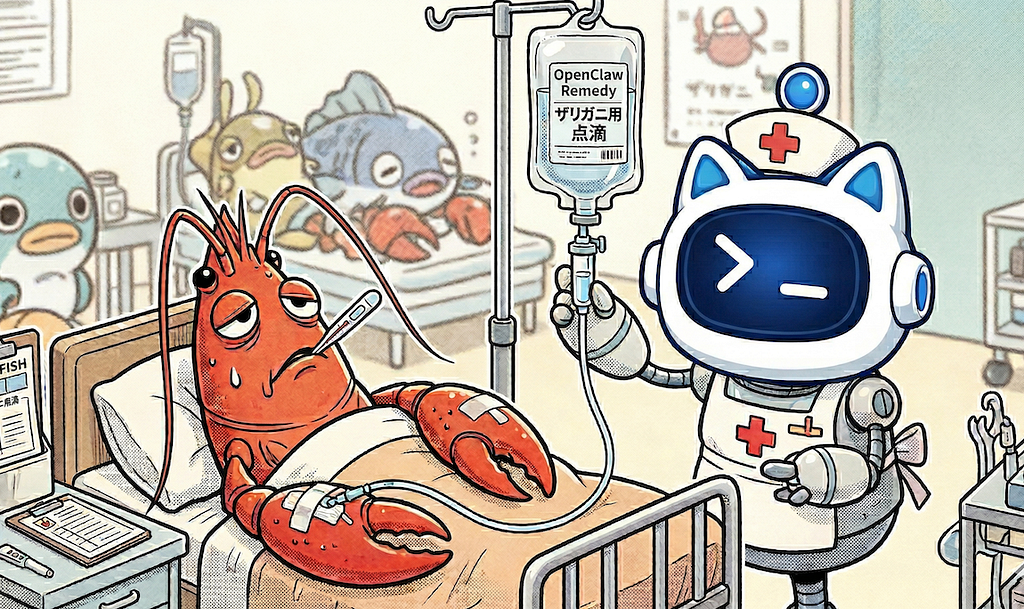
For developers, there’s a kind of failure that feels worse than usual.
Not when something crashes — that’s expected. But when your system fails in a way that cuts off the very interface you rely on to debug it.
That’s what happened during an OpenClaw upgrade.
One moment, everything was working. The agent was responding normally through messaging Apps. The next, it went completely silent. No responses, no logs in the chat interface, no fallback channel. It wasn’t just down — it was unreachable.
At that point, there’s no clever workaround. You’re back to the basics: log into the machine and figure out what broke.
The fragility behind a strict design
OpenClaw is built around strict configuration validation. On startup, the Gateway checks the entire openclaw.json file against its schema, and if anything doesn’t match, the service simply refuses to run.
From a systems perspective, this is a sensible design choice. It prevents undefined behavior and keeps runtime predictable. But it also creates a sharp edge: a single incompatible field can take the entire system offline.
In this case, the error message was clear:
“must NOT have additional properties”
The system wasn’t behaving unpredictably — it was enforcing correctness. The problem was that something had written a configuration it could no longer accept.
The change that triggered it
The failure occurred during a memory system upgrade.
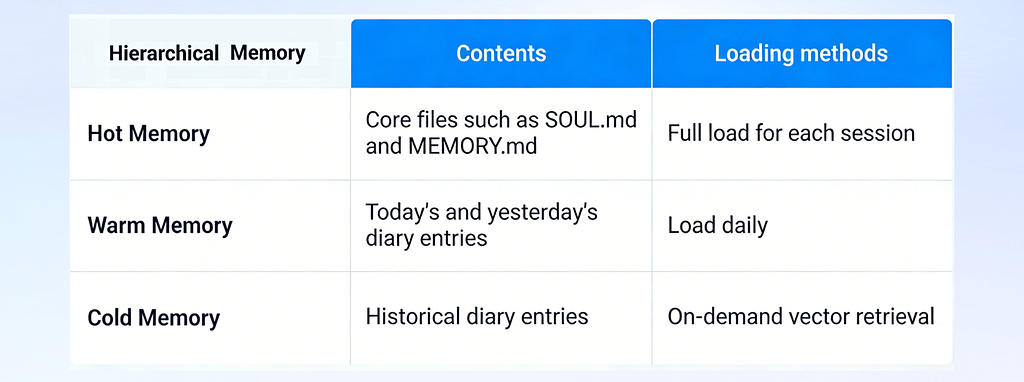
By default, OpenClaw uses a hierarchical memory architecture based on Markdown files and local vector search (SQLite + sqlite-vec). It’s simple and transparent, but limited. The system can retrieve knowledge, but it doesn’t really learn from interactions. Experiences are duplicated, and there’s no mechanism for reflecting across past tasks.
To address that, a managed memory layer was introduced using Amazon Bedrock AgentCore Memory. This allows conversations to be captured as structured events, from which longer-term knowledge can be extracted, deduplicated, and refined over time.
The resulting architecture was a hybrid: hot memory (Markdown files, fully loaded each time) + cold memory (AgentCore Memory, on-demand semantic retrieval).
Where things went wrong
The integration itself was done through OpenClaw’s plugin system, without modifying the core framework. Messages were intercepted, relevant memories injected, and conversations persisted.
The issue appeared when enabling the plugin.
Updating openclaw.json was handled by the agent itself, which has permission to modify its own configuration. That flexibility is useful — but it also introduces risk.
During the update, an incompatible field was added. The next time the Gateway started, it validated the configuration, rejected it, and exited.
From that moment on, the system was effectively locked:
● The Gateway was down
● Messaging integrations were offline
● The agent was unreachable
There was no way to ask the system to fix itself.
Back to the terminal — but with assistance
With the agent offline, recovery had to happen directly on the instance running on Amazon Web Services.
This is where Chaterm became part of the workflow. Chaterm is an AI-native terminal built for infrastructure and cloud resource management. It allows engineers to perform complex operational tasks such as deployment, troubleshooting, and repair using natural language.
It behaves like a standard terminal, but with an optional agent mode that can observe the environment, suggest next steps, and help structure the debugging process.
The goal was simple: restore the OpenClaw Gateway.
Instead of manually deciding each step, the troubleshooting unfolded as a guided sequence — still transparent, still command-driven, but easier to follow and less dependent on remembering every detail under pressure.

A practical guide: repairing OpenClaw using the Chaterm Agent Mode
1. Connecting to EC2
Start by connecting to the EC2 instance where OpenClaw is deployed via Chaterm.
As an initial step, attempt to restart the Gateway service.
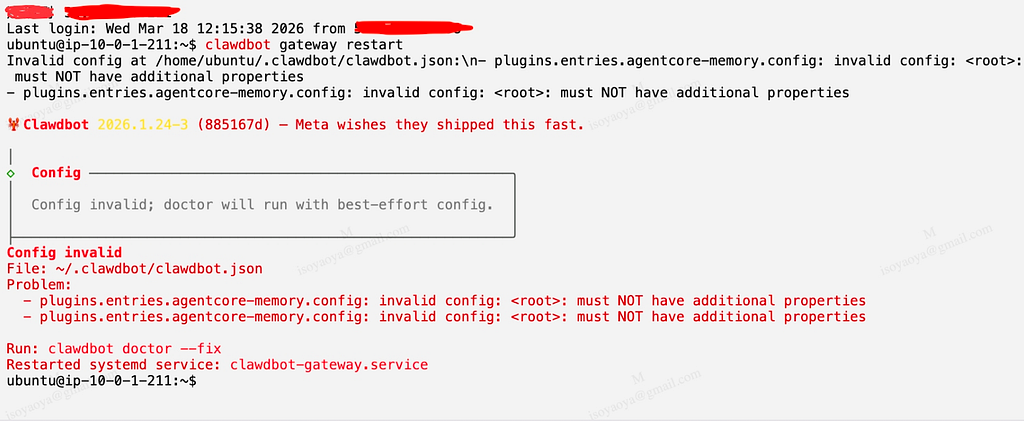
The restart fails, returning a configuration verification error. This is expected — the issue stems from incompatible properties introduced during OpenClaw’s memory modification process when the configuration file was altered.
2. Starting Agent Mode
Switch to Agent Mode in Chaterm and clearly define the objective:
Fix the configuration verification error in the OpenClaw Gateway and restore normal service operation.
Once initiated, the Chaterm Agent autonomously plans and executes the diagnostic and remediation workflow.

3. Diagnostic and Remediation Process
The Agent automatically completes the following steps:
① Diagnostic Phase
● Check the status of the systemd user-level service to confirm that the service is in a failed state.
● Analyze the service logs to identify the specific error: “Additional properties are not allowed.”
● Check the configuration file to find the incompatible properties that caused the verification failure.
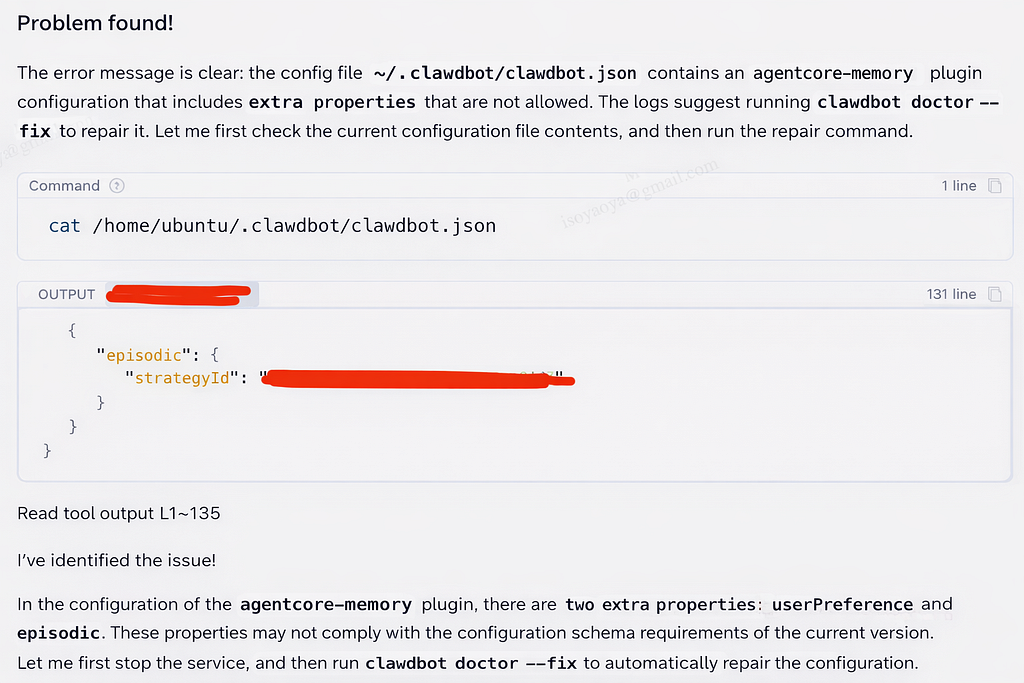
② Repair Phase
● Securely stop the service
● Create a backup of the current configuration file (ensuring rollback capability)
● Try using clawdbot doctor — fix for automatic repair
● If the automated fix is incomplete, manually edit the configuration file in the Agent to remove incompatible attributes
● Restart the Gateway service
③ Verification Phase
Validate that the system has fully recovered by checking:
● Service status is active (running)
● Gateway is correctly listening on port 18789
● All plugins have initialized successfully
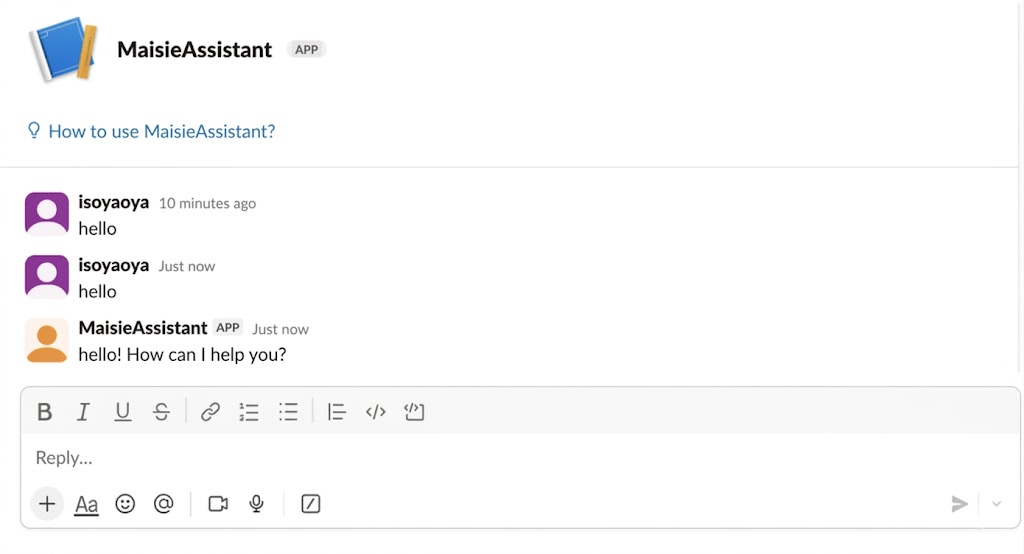
● External integrations (e.g., Slack) are functioning normally
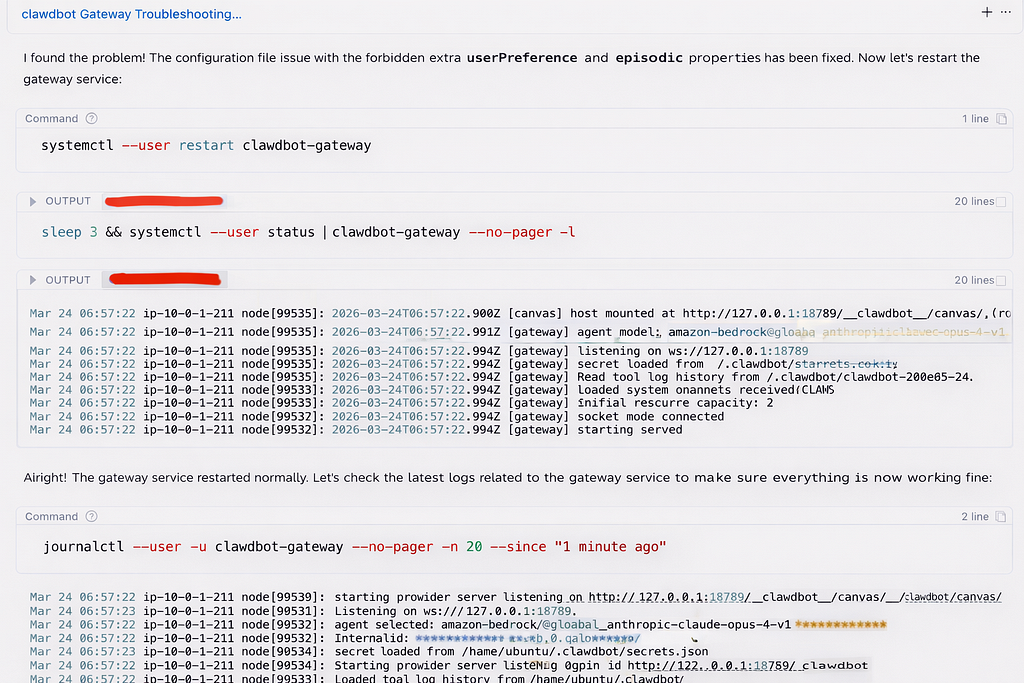
4. Repair Complete
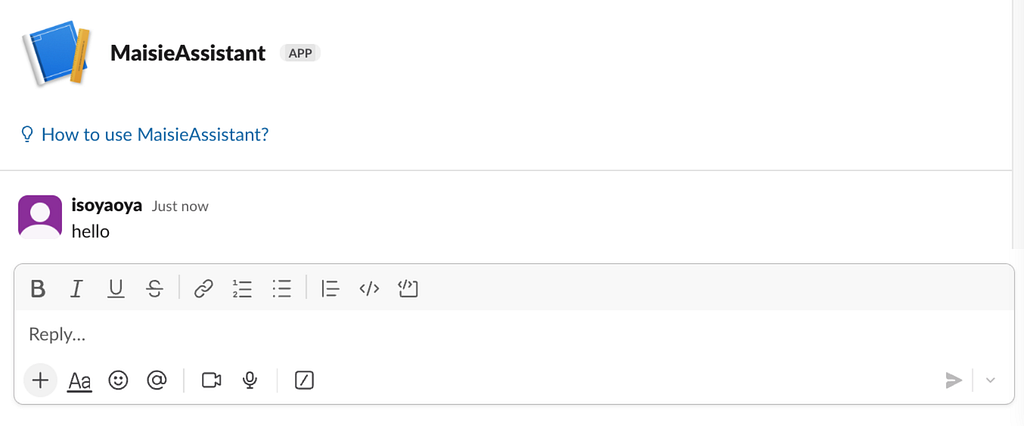
OpenClaw has now returned to normal operation and is able to interact seamlessly through the messaging platform.
Throughout the process, Chaterm Agent maintains a complete audit log of all actions, ensuring full traceability. Additionally, the pre-repair configuration backup provides a reliable rollback path in case of failure — making the entire recovery process both safe and reproducible.
From troubleshooting to something reusable
The technical fix itself was straightforward. What’s more interesting is what happened after.
In many teams, this is where the process ends. The issue is resolved, and the knowledge remains in someone’s head — or at best, partially documented. The next time a similar problem occurs, the same investigation is repeated.
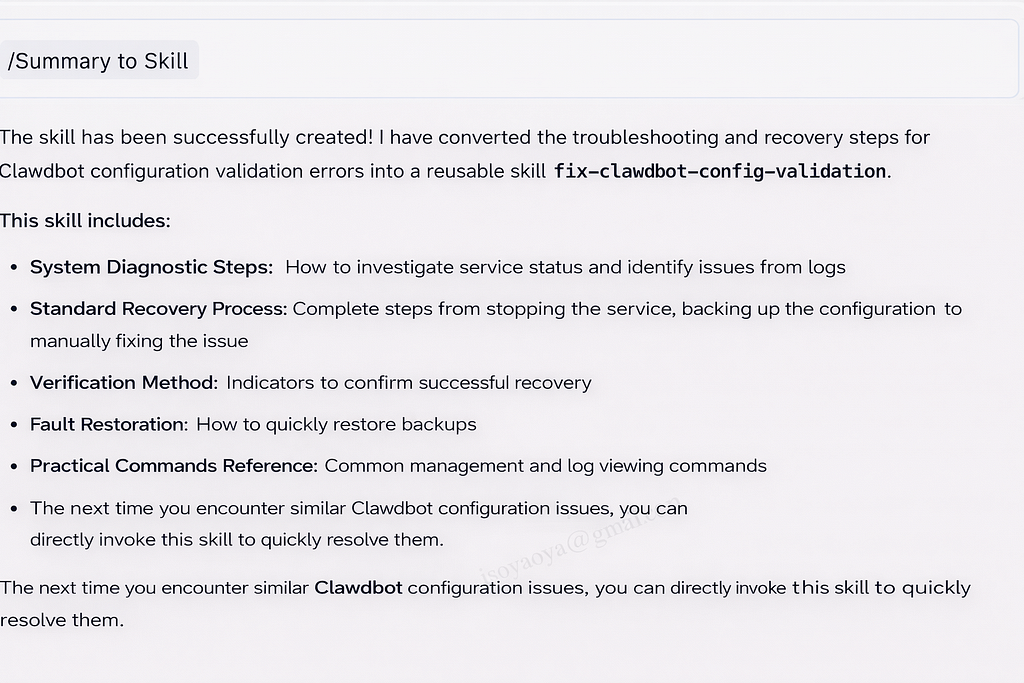
In this case, the entire troubleshooting session was captured and turned into a reusable unit inside Chaterm — what it calls an Agent Skill. Instead of writing a document describing what to do, the workflow itself becomes executable.
That workflow includes the full lifecycle:
● how to identify the failure
● how to safely repair it
● how to verify the system is truly healthy
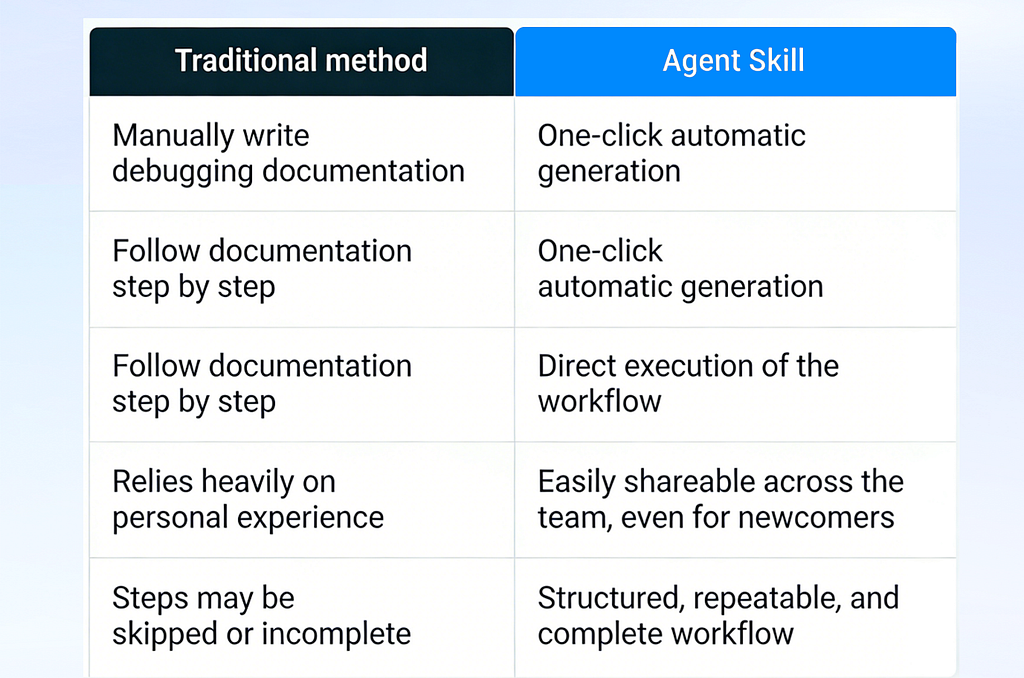
The next time a configuration validation error occurs, the same sequence can be applied directly, without reconstructing it from memory.
Why this changes how teams operate
This is where the impact becomes more tangible.
Once a troubleshooting process is captured as an Agent Skill, it stops being individual experience and becomes shared capability. A new team member doesn’t need prior familiarity with OpenClaw to resolve the issue — they can follow the same structured workflow and reach the same outcome.
Over time, this also introduces a form of standardization. Every execution follows the same steps: backup before modification, attempt automated repair, validate outcomes. The risk of skipping critical steps — something that often happens during incidents — drops significantly.
Perhaps more importantly, it changes how knowledge accumulates. Instead of writing static documentation that may drift or be ignored, the system captures workflows that can be reused directly. Each incident contributes something concrete to the team’s operational toolkit.
Closing thoughts
Systems like OpenClaw are becoming increasingly autonomous — and with that autonomy comes new categories of failure, including the ability to misconfigure themselves.
When issues arise, the recovery process still depends on familiar tools: logs, configuration files, and careful iteration. What’s changing is what happens after the fix.
If each incident can be converted into something reusable — capturing not just the failure, but the resolution — then debugging stops being a recurring cost.
It becomes part of a continuous improvement loop, where both the system and the team steadily get better over time.
Check out Chaterm on Github: GitHub — chaterm/Chaterm: Open source AI terminal and SSH client for cloud and infrastructure · GitHub
Saving Crashed AI Agents: Simple Recovery for OpenClaw was originally published in Level Up Coding on Medium, where people are continuing the conversation by highlighting and responding to this story.