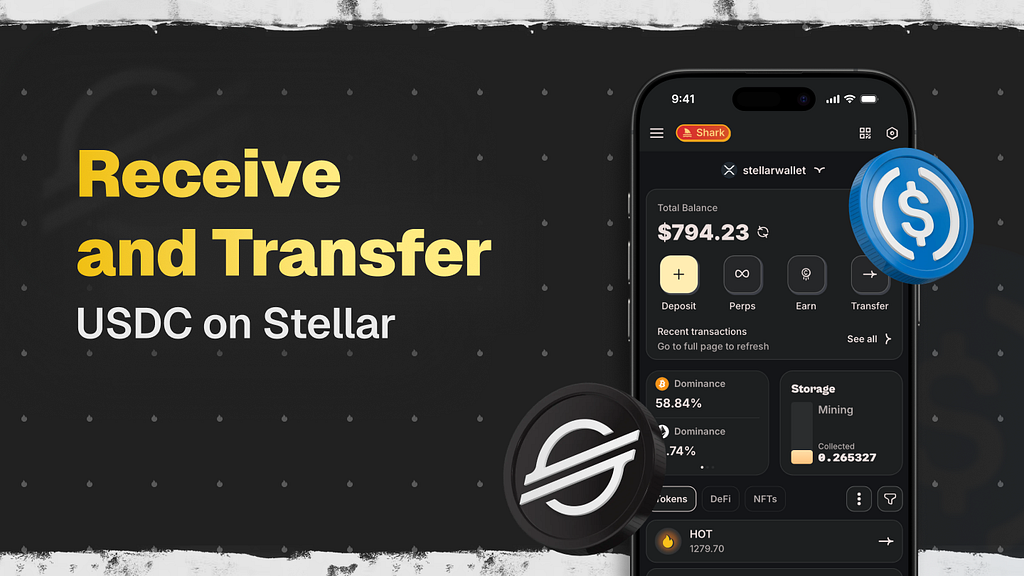
In this article, we’ll show you how to conveniently receive and send USDC, XLM, EURC, and other tokens on the Stellar blockchain using HOT Wallet. We’ll break down every step in the simplest way possible so even a complete beginner can quickly get it. Special attention will be given to the advantages of HOT Wallet: free asset activation, protection against fund loss, full support for claimable balances, built-in swaps, staking, and much more — that’s why HOT Wallet remains the best choice for working with Stellar.
Why Stellar + USDC is a powerful combo
Stellar is designed for real-world payments: super-fast, ultra-cheap transfers of money, stablecoins, or any assets — usually under a penny in fees. It shines for remittances, daily payments, and bridging crypto with traditional banking.
USDC (from Circle) is one of the top stablecoins worldwide. On Stellar, it’s issued natively by Circle itself, which means lightning speed and rock-bottom costs. Plus, Circle recently brought EURC (euro-backed stablecoin) to Stellar too — and it’s growing fast in the network.
Receiving USDC (or any Stellar token) — super simple
Getting funds into HOT Wallet takes seconds.
HOT Wallet works on mobile (iOS/Android), as a browser extension, or even in Telegram Mini App. The mobile and extension versions give you the smoothest experience right now.
Here’s the quick flow:
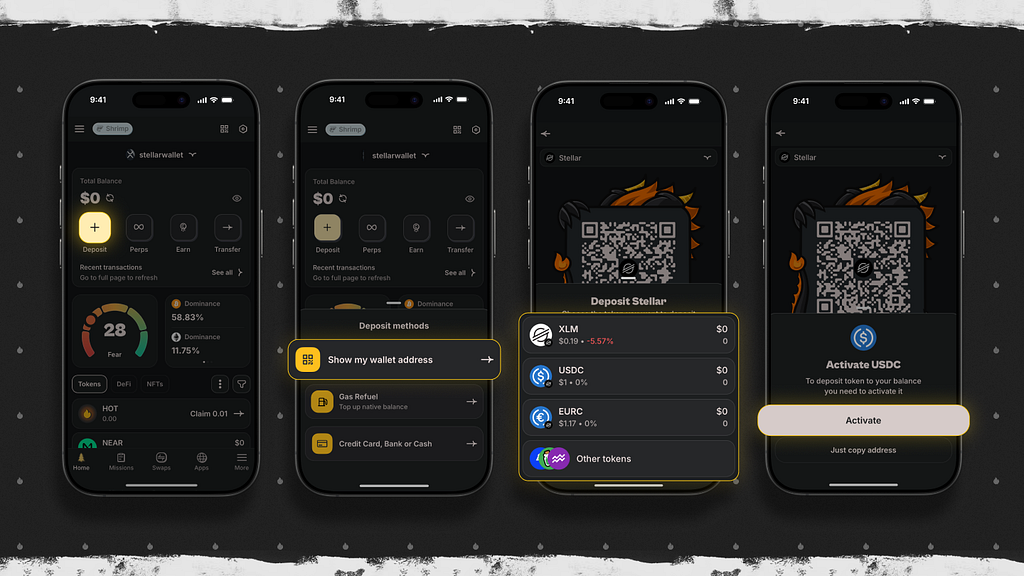
- Tap Deposit on the home screen → choose Show My Wallet Addresses
- Pick Stellar from the network list
- Scroll to USDC (or EURC, XLM, etc.)
- If it’s your first time — activate it for free (HOT Wallet covers the XLM reserve cost — no extra funds frozen like in other wallets)
- Hit Copy Address and share it
Send from any exchange, wallet, or bridge — no memo required. HOT Wallet handles incoming payments automatically.
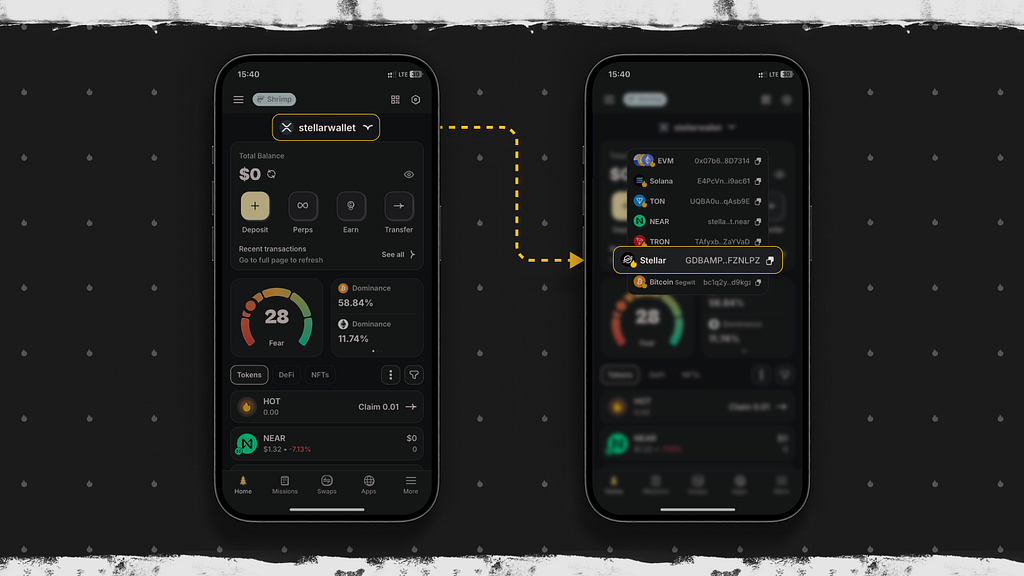
Pro tip: On the main screen just tap your Stellar balance → pick the token → address copies instantly. No digging through menus.
Free activation: one of HOT Wallet’s biggest wins
Stellar requires a “trustline” for non-XLM assets. This links your account to the issuer so you can hold their tokens. Each trustline locks 0.5 XLM (on top of the 1 XLM base reserve). Those XLM stay frozen — not spent, but unavailable.
Most wallets make you pay that reserve yourself (often 1–2 XLM total). HOT Wallet? Zero cost to you. The team pays it all. Just select the asset and it’s ready — no extra XLM needed.
Bonus safety: No memo headaches for incoming transfers. The interface blocks common mistakes that lose people money.
Sending tokens — fast and safe
- Open HOT Wallet → tap Transfer
- Choose Stellar network and your token (USDC, XLM, EURC…)
- Paste the recipient address or scan QR code
- Enter amount → hit Review

Critical heads-up: Sending to centralized exchanges (Binance, Bybit, OKX, etc.)? Always add the memo. Without it, funds can vanish forever — a frequent Stellar pain point.
HOT Wallet has smart protection: if it detects an exchange address without a memo, the Send button stays disabled until you fill it in. Almost no other wallet does this automatically.
https://medium.com/media/e8654feb82eeae1257e9f0b7b10fe5cf/hrefFees? Tiny — typically 0.00001 XLM.
Claimable balances: recover “lost” funds easily
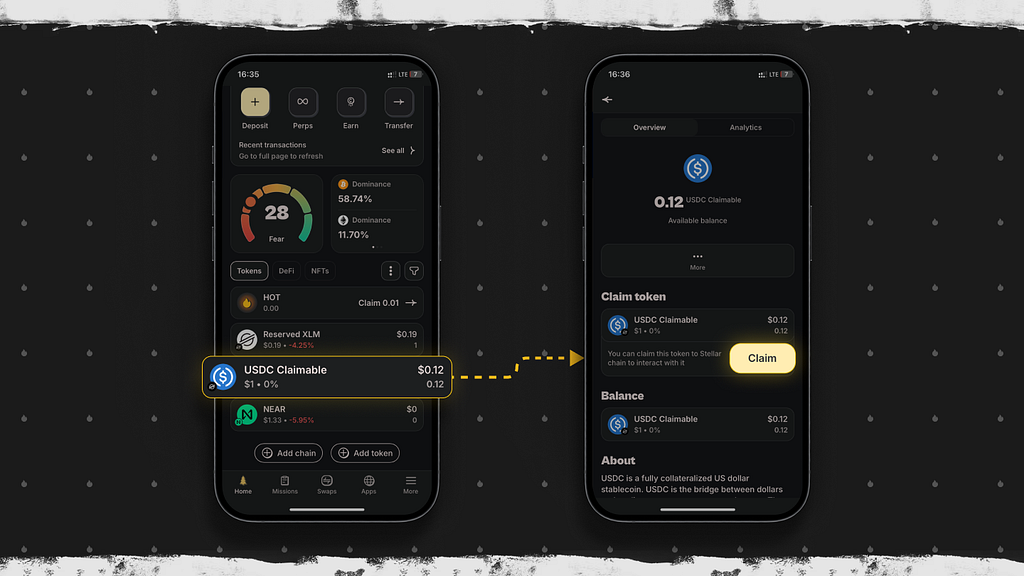
Stellar has a lifesaver feature: if tokens arrive at an inactive account or one without a trustline, they don’t bounce — they become a claimable balance.
The money waits until the account is activated and trustline set up. Full guide here: Claimable balances | Stellar Docs.
HOT Wallet is one of the very few wallets with complete support. Claimables show up in a dedicated “Claimable” section — claim with one tap. HOT Wallet auto-creates trustlines and covers reserves for free.
Sent funds to someone and they’re stuck? Tell them to import their seed/private key into HOT Wallet — claimables appear instantly and can be claimed at no cost. This has saved users thousands already.
Final thoughts
HOT Wallet stands out as the go-to for Stellar thanks to:
- Completely free asset activation
- Built-in memo protection
- Full claimable balances rescue
- Instant swaps, staking for XLM/USDC/EURC, cross-chain bridges, Telegram integration
- MPC security (no single point of failure)
- Official Stellar Foundation partnership
It’s beginner-friendly yet powerful for pros: clean UI, no hidden Stellar fees, 100+ chains supported, strong privacy.
Check out our deeper guide: HOT Wallet — Best Stellar XLM Wallet
Download HOT Wallet today and experience hassle-free USDC (and more) on Stellar yourself!
Join the Hot Wallet community for tips and updates:
- Reddit: https://www.reddit.com/r/HOT_Labs/
• YouTube: https://www.youtube.com/@hot-labs
• X: https://x.com/hotdao
• Instagram: https://www.instagram.com/hot_labs
• Telegram: https://t.me/hotonnear
• Hot labs site: https://hot-labs.org/
We look forward to your comments and questions! 🔥
How to Receive and Send USDC on Stellar: Easy Step-by-Step with HOT Wallet was originally published in Coinmonks on Medium, where people are continuing the conversation by highlighting and responding to this story.