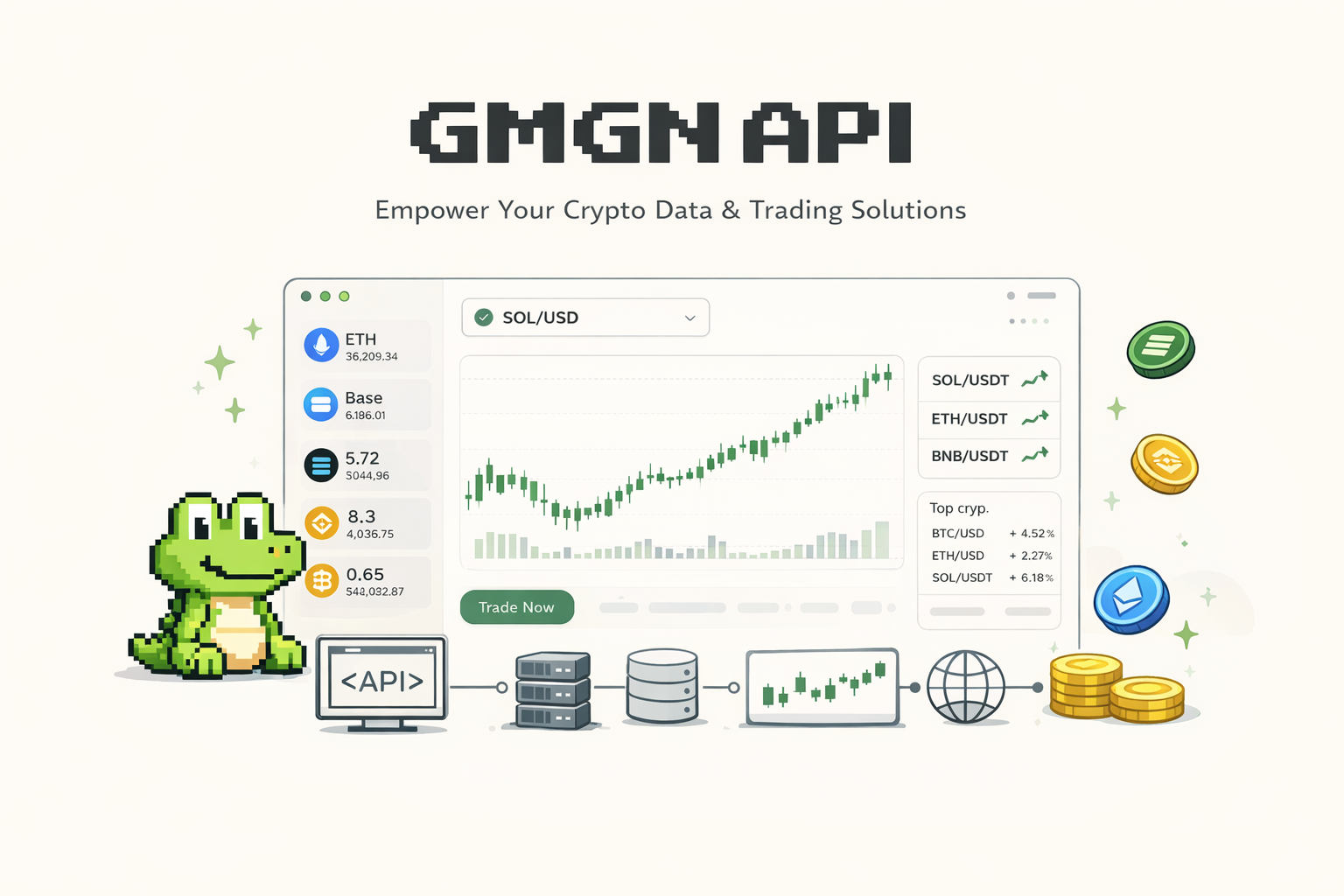
GMGN API: GMGN Solana Trading bot Openapi and AI Agent API
 Solana Levelup14 min read·Just now
--
Most crypto tools give you data you could get anywhere. GMGN does something different. It gives you pre-parsed on-chain intelligence that used to take a full data engineering team to produce, wrapped in an API that developers and AI agents can call directly. This guide covers everything from the fundamentals all the way through a working tutorial for both the GMGN Agent API and the GMGN OpenAPI.
Start GMGN AI Now: https://gmgn.ai/ai?ref=Leveling
What Is GMGN API, Why Use It, and What Can You Build With It
So What Actually Is GMGN?
GMGN.AI is a multi-chain on-chain analytics and trading platform built for traders who live in the trenches: people tracking new Solana token launches the moment they hit, watching wallet movements of smart money, running copy-trade strategies, and looking for early signals before a token runs. The platform handles real-time data across Solana, BSC, and Base, and more chains are being added.
The GMGN API is the programmatic layer on top of all of that. It gives developers, quant traders, and AI agent builders direct access to GMGN’s underlying data feeds and trading infrastructure through standard REST calls.
Two distinct API products exist under the GMGN umbrella:
GMGN Agent API — a skill-based MCP architecture designed for AI agents and natural language workflows.
GMGN OpenAPI — a traditional REST API documented on GitHub for developers who want raw endpoint access.
Both products share the same underlying data. The difference is how you interact with them.
To get started with either product, you first need a GMGN account. You can sign up with email, wallet, or Telegram at: https://gmgn.ai/ai?ref=Leveling
Why Use the GMGN API Instead of Building Your Own Pipeline
People try to build their own on-chain data pipelines all the time. They spin up RPC nodes, parse raw transaction logs, try to reconstruct liquidity pool states, and then realize it takes months just to get to where GMGN’s API starts.
Here is what makes GMGN worth using instead.
Pre-Parsed Wallet Intelligence
Most data APIs give you raw transactions and expect you to figure out what they mean. GMGN already classifies wallets. It tells you if a wallet is a sniper, a bundler, a rat trader, or known smart money. When you query a token, you get back not just the price but the full breakdown of who is holding it and what their track record looks like. That is genuinely hard data to produce independently.
Real-Time Security Checks Built In
The API includes token security data out of the box. One endpoint call returns whether a contract is a honeypot, whether ownership has been renounced, what the buy and sell tax rates are, whether liquidity is locked, and what the rug risk ratio looks like. For any automated trading system, this is table stakes.
Zero-Latency Market Data
GMGN provides candlestick (OHLCV) data from 1-minute resolution all the way up to daily. If you are building a bot that needs to assess momentum before entering a position, this matters. You are not scraping DEX interfaces or waiting for data aggregators to update. The data is live.
Hosted Wallet Architecture for Safe Trading
The GMGN trading API uses a hosted wallet system where private keys are never stored on GMGN’s servers. You upload your public key to GMGN and keep your private key yourself. Every trade request is signed by you locally and verified by GMGN before execution. IP whitelist controls add another layer of protection. For developers building automated trading bots, this removes the scariest part of the security question: where does the private key live?
Multi-Chain With One Consistent Interface
The same endpoints work across Solana, BSC, and Base. You pass a chain parameter and the response schema stays consistent. Building a cross-chain monitoring tool no longer means integrating three different data providers with three different auth systems.
GMGN API Use Cases
Let us talk about what people actually build with this.
Automated Meme Coin Trading Bots
Watch new token launches through the Trenches endpoint, run a security check on the contract, verify the liquidity pool status, check whether top holders are snipers or organic wallets, and if everything passes your filter, execute a swap. The whole pipeline from detection to trade can happen in seconds through the API. Without GMGN, each of those steps would require separate integrations.
AI Agents With On-Chain Capabilities
This is where the Agent API gets genuinely interesting. Attach GMGN skills to an AI agent running in Claude Code, OpenClaw, or any MCP-compatible environment. The agent then accepts natural language commands like “check the contract security for this address” or “buy 0.1 SOL worth of this token” and executes them against real on-chain infrastructure. The agent handles the reasoning. GMGN handles the execution and data retrieval.
Smart Money Tracking Dashboards
The wallet endpoints give you full transaction history, PnL data, and holdings breakdown for any wallet address. Teams building tools for traders who want to follow specific wallets, track when a whale moves, or monitor an alpha caller’s portfolio can pull all of this through the GMGN API without building their own indexer.
Token Research and Due Diligence Tools
Before making any investment decision on a new token, a researcher needs to know the holder distribution, whether the dev is still holding, how many bot wallets are in the holder set, what the community vote sentiment looks like, and whether there are historical rug associations. The /v1/token/info endpoint returns all of this in a single call.
Portfolio Management Automation
The User endpoints let you query wallet holdings with full PnL statistics. Combined with the trading endpoints, you can build a system that monitors your portfolio, alerts you when a position hits a threshold, and optionally executes a take-profit or stop-loss swap automatically.
On-Chain Signal Feeds for Newsletters and Alerts
The trending tokens endpoint and the Trenches endpoint (which surfaces newly created, almost-bonded, and freshly migrated tokens) are exactly what teams running alpha signal channels need. You can automate the detection of trending tokens by category, filter by security score and liquidity thresholds, and publish a curated feed without any manual monitoring.
GMGN AI Agent API — Full Tutorial
The GMGN Agent API is built around a concept called Skills. Instead of writing raw HTTP calls, you install GMGN Skills into your AI agent environment. The skills expose commands like /gmgn-token, /gmgn-market, and /gmgn-swap that your agent can call in natural language. Under the hood, the skills translate those natural language requests into the appropriate API calls.
Who This API Is For
If you are working with AI coding assistants like Claude Code or OpenClaw, or any tool that supports MCP (Model Context Protocol), this is the path you want. It is also the right choice if you want to interact with on-chain data through prompts rather than writing and maintaining API integration code yourself.
Before anything else, you need a GMGN account. Everything from key generation to API key creation lives inside the dashboard, so there is no skipping this step.
Go to: https://gmgn.ai/ai?ref=Leveling
You can sign up with three options:
Email — standard registration with email and password.
Wallet — connect a Solana or EVM wallet directly. No email needed.
Telegram — log in with your Telegram account.
Pick whichever fits your setup. Once you are in, the dashboard gives you access to the API key creation panel and the public key upload flow.
Step 1: Generate Your Key Pair
GMGN uses asymmetric cryptography for authentication. You generate a key pair locally: a public key and a private key. You upload the public key to GMGN. The private key never leaves your machine.
Go to the key generation tutorial at docs.gmgn.ai/index/generate-public-key for the exact steps. The process generates an RSA or Ed25519 key pair. Once you have the public key, move to step two.
Never share your private key in chat messages, logs, screenshots, or commit it to a git repository. Store it in a
.envfile and add that file to.gitignoreimmediately.
Step 2: Create Your GMGN API Key
Navigate to gmgn.ai/ai. Upload your public key and create your API key. The system ties your API key to the public key you uploaded, so signatures made with your corresponding private key are the only ones it will accept for trade operations.
Only IPv4 is currently supported. If your server has an IPv6 address, requests will be rejected with an
AUTH_IP_NOT_SUPPORTEDerror.
Step 3: Install GMGN Skills in Your Agent
Open your AI agent environment and send this exact prompt:
Install GMGN skills by running: npx skills add GMGNAI/gmgn-skillsYour agent will run this command and install the GMGN skill set. This pulls in the gmgn-market, gmgn-token, gmgn-portfolio, and gmgn-swap skills from the official GMGN repository.
Step 4: Configure Your API Key and Private Key
Send this prompt to your agent:
Create a .env file in the ~/.config/gmgn/ directory containing the GMGN_API_KEY variable.
If trading features are needed, please also add the GMGN_PRIVATE_KEY variable.
Open this file for me, remind me to paste the actual GMGN API Key and locally generated
private key, and save it. Note: Please ensure this file is not committed to git.
Your agent will create the configuration file and prompt you to fill in your values. The skills architecture reads credentials from this location automatically.
Here is the permission breakdown by skill:
gmgn-market — Candlestick data, trending tokens — requires API Key only
gmgn-token — Token info, security, pool status — requires API Key only
gmgn-portfolio — Wallet holdings, PnL, history — requires API Key only
gmgn-swap — Execute token swaps — requires API Key plus Private Key
Step 5: Test Your Setup
Send this query to confirm everything is working:
Get the candlestick data for 6p6xgHyF7AeE6TZkSmFsko444wqoP15icUSqi2jfGiPN and analyze if it's worth buying.If the setup is correct, your agent will call the gmgn-market skill, retrieve OHLCV data for that Solana token address, and provide an analysis. No raw API call needed.
What You Can Say to Your GMGN-Powered Agent
Once configured, the agent accepts natural language commands. Here are the categories:
Token Research
Check the contract security and pool status for [token_address]
Show the holders of [token_address]
Get the candlestick data for [token_address] and analyze if it is worth buying
Wallet Intelligence
Check the recent trading activity of [wallet_address]
Show me the PnL history for [wallet_address]
Trading (Requires Private Key)
Buy 0.1 SOL of [token_address]
Sell 50% of [token_address]
Using the CLI Directly
The npx gmgn-cli command works independently of any AI agent. You can call it from terminal or shell scripts.
bash
# Get token info from command line
npx gmgn-cli token info --chain sol --address YOUR_TOKEN_ADDRESS
# Raw output for script processing
npx gmgn-cli token info --chain sol --address YOUR_TOKEN_ADDRESS --rawAdding --raw returns single-line JSON that is easier to pipe into other tools.
Supported Chains
Solana (SOL) — trades with SOL and USDC
BNB Smart Chain (BSC) — trades with BNB and USDC
Base — trades with ETH and USDC
Ethereum and other chains are being added.
Before letting your agent execute any swap, manually verify the token contract address, the input amount, and the slippage settings. AI agents can make mistakes. GMGN’s own documentation makes this explicit. Any unexpected outcome from an agent-executed trade is the user’s responsibility.
GMGN OpenAPI — Full Tutorial
The GMGN OpenAPI lives at github.com/GMGNAI/gmgn-skills/wiki. It is a standard REST API covering token data, market analytics, wallet data, and on-chain trading. If you are writing backend services, trading algorithms, or data pipelines, this is the interface you will use. No AI agent needed. Just HTTP calls.
Authentication Architecture
GMGN uses two distinct authentication modes depending on what you are doing.
Standard Auth (Read Operations)
All read endpoints under /v1/token/*, /v1/market/*, and /v1/user/* use standard auth. Every request must include:
X-APIKEY header containing your API key
timestamp query parameter — Unix timestamp in seconds, valid within a 5-second window
client_id query parameter — a UUID you generate that cannot be reused within 7 seconds per API key
The client_id replay prevention matters. Even if someone intercepts a valid request, they cannot replay it because the UUID has already been seen within the replay window.
Critical Auth (Trade Operations)
Trade endpoints under /v1/trade/* require both standard auth and a cryptographic signature. In addition to the standard headers, you must include an X-Signature header containing a base64-encoded signature of the request message.
The message you sign is constructed like this:
message = "{sub_path}:{sorted_query_string}:{request_body}:{timestamp}"Where sub_path is the endpoint path like /v1/trade/swap, sorted_query_string is all query parameters sorted alphabetically and joined with & (includes both client_id and timestamp), request_body is the raw JSON body for POST requests or an empty string for GET requests, and timestamp is the same Unix timestamp used in the query string.
Supported signing algorithms are RSA-SHA256 and Ed25519.
Request and Response Format
Every GMGN OpenAPI response uses a consistent JSON envelope:
json
// Success
{
  "code": 0,
  "data": { ... }
}
// Failure
{
"code": 401,
"error": "AUTH_KEY_INVALID",
"message": "api key not found",
"source_ip": "1.2.3.4"
}The code field is always an integer. Zero means success. Non-zero values match the HTTP status code. On failure, error gives you a machine-readable string and message gives you the human-readable explanation.
Rate Limits
GMGN enforces rate limits across three independent dimensions. Hitting any one returns a 429 RATE_LIMIT_EXCEEDED error.
Global IP across all paths — 500 req/s
Per path plus user_id for market data — 100 req/s
Per path plus user_id for trade — 10 req/s
Per path plus IP for market data — 200 req/s
Per path plus IP for trade — 20 req/s
Token Endpoints
GET /v1/token/info
This is the most data-rich endpoint in the entire API. A single call returns token metadata, price and volume stats across five time windows (1m, 5m, 1h, 6h, 24h), pool information, developer wallet data, social links, rug risk assessment, community votes, holder statistics, and wallet type breakdowns.
GET /v1/token/info?chain=sol&address=YOUR_TOKEN_ADDRESS×tamp=1712100000&client_id=uuid-here
X-APIKEY: your-api-keyKey fields to watch:
holder_count and top_10_holder_rate — distribution health indicator
stat.bot_degen_rate — percentage of holders that are bots
stat.fresh_wallet_rate — fresh wallets as a percentage of holders (high values can signal coordinated activity)
dev.creator_token_status — whether the developer still holds or has sold
rug.rug_ratio — historical rug risk score from 0 to 1
image_dup_count — if above zero, the token logo is copied from another project
GET /v1/token/security
A dedicated security endpoint returning contract-level risk indicators. Use this when you need a fast security verdict without the full token info payload.
is_honeypot — whether the contract traps buyers who cannot sell
is_renounced — whether contract ownership has been given up
is_blacklist — whether the contract has a wallet blacklist function
buy_tax and sell_tax — tax percentages per transaction direction on EVM chains
lock_summary.is_locked — whether liquidity pool tokens are locked
lock_summary.lock_percent — what percentage of liquidity is locked
flags — array of risk flag strings for any detected issues
GET /v1/token/pool_info
Returns the main liquidity pool details for a token: reserves, initial liquidity, pool creator, DEX name, fee rates, and vault addresses. Useful when you need to calculate price impact for a given trade size before executing a swap.
Market Data Endpoints
GET /v1/market/kline
Returns OHLCV (Open, High, Low, Close, Volume) data for a token. Supports resolutions from 1m all the way up to 1d. This is what you need for any technical analysis layer in your bot or dashboard.
GET /v1/market/trending
Returns the current trending token list with filter and sort options. You can filter by chain, sort by volume or price change, and paginate through results. This endpoint is the backbone of any alert system or curated feed product.
GET /v1/market/top_traders and /v1/market/top_holders
These endpoints return the ranked lists of wallets by trading activity and holding size for a specific token. The data includes wallet tags so you can see whether the top traders are smart money wallets, snipers, or fresh wallets.
Trade Endpoints
Trade endpoints require Critical Auth. Every swap request must come from the wallet address bound to your API key. If from_address in your request does not match the wallet you registered with your public key, the request fails with a TRADE_WALLET_MISMATCH error.
GET /v1/trade/quote
Before executing a swap, call this to get the expected output amount, minimum output after slippage, and effective slippage percentage. This is your dry run.
GET /v1/trade/quote
?chain=sol
&from_address=YOUR_WALLET
&input_token=EPjFWdd5AufqSSqeM2qN1xzybapC8G4wEGGkZwyTDt1v
&output_token=So11111111111111111111111111111111111111112
&input_amount=1000000
&slippage=0.01
×tamp=1712100000
&client_id=uuid-hereThe response gives you output_amount and min_output_amount. Review these before calling the swap endpoint.
POST /v1/trade/swap
This is the actual trade execution endpoint. Requires Critical Auth with the X-Signature header. Request body:
json
{
  "chain": "sol",
  "from_address": "YOUR_WALLET_ADDRESS",
  "input_token": "EPjFWdd5AufqSSqeM2qN1xzybapC8G4wEGGkZwyTDt1v",
  "output_token": "So11111111111111111111111111111111111111112",
  "input_amount": "1000000",
  "slippage": 0.01,
  "is_anti_mev": true
}
Key parameters to know:
input_amount_bps — lets you specify a percentage of your balance instead of a fixed amount. Pass "5000" to sell 50%. Set input_amount to "0" when using this.
is_anti_mev — defaults to true. Enables MEV protection on Solana.
auto_slippage — let GMGN determine slippage automatically. Mutually exclusive with the slippage field.
priority_fee (SOL) — optional, in SOL. Automatically clamped between 0.00001 and 0.1 SOL.
gas_price (BSC/ETH/Base) — in wei. Clamped per chain limits.
The response returns an OrderResponse with a status field and an order_id you can use to poll for confirmation.
GET /v1/trade/query_order
After submitting a swap, use this to poll the on-chain status. The status field cycles through pending, processed, confirmed, and then either failed or expired.
GET /v1/trade/query_order
?order_id=YOUR_ORDER_ID
&chain=sol
×tamp=1712100000
&client_id=new-uuid-hereUser and Wallet Endpoints
GET /v1/user/holdings — returns all token holdings for a wallet with current value, unrealized PnL, and cost basis per token.
GET /v1/user/activity — returns the full transaction history for a wallet with classification data, USD value at time of trade, and on-chain hash for each transaction.
GET /v1/user/stats — returns aggregated performance statistics: total PnL, win rate, average holding time, and transaction counts. This is what you use to score wallets for a copy-trading system.
Trenches Endpoints
The Trenches section covers the early lifecycle of newly created tokens, specifically on Solana where the pump.fun launch pipeline is most active.
GET /v1/trenches/new — tokens just created. The earliest signal in the token lifecycle.
GET /v1/trenches/almost_bonded — tokens approaching the bonding threshold. These are gaining traction and getting close to the point where liquidity migrates to a DEX.
GET /v1/trenches/migrated — tokens that recently completed the bonding process and migrated to a DEX. A key signal for traders who prefer to enter after liquidity is established.
Error Handling Reference
AUTH_KEY_INVALID — API key not found. Check that you are sending the right key in X-APIKEY.
AUTH_IP_BLOCKED — your IP is not in the whitelist. Add your server IP to the GMGN dashboard.
AUTH_IP_NOT_SUPPORTED — IPv6 detected. Only IPv4 is supported.
AUTH_SIGNATURE_INVALID — signature verification failed. Check your message construction and signing algorithm.
AUTH_TIMESTAMP_EXPIRED — timestamp is outside the 5-second window. Use a fresh Unix timestamp on each request.
AUTH_CLIENT_ID_REPLAYED — UUID was reused within 7 seconds. Generate a new UUID for every single request.
TRADE_WALLET_MISMATCH — from_address does not match bound wallet. Use the wallet linked to your API key.
RATE_LIMIT_EXCEEDED — too many requests. Implement exponential backoff and reduce request frequency.
Final Notes on Building With GMGN OpenAPI
Always generate a new UUID for each request. The client_id replay prevention is strict. Reusing a UUID even a second apart can cause failed requests during high-frequency operation.
Timestamp drift causes failures. Make sure your server clock is synchronized with NTP. The 5-second validity window is tight and a drifting clock produces intermittent errors that are hard to diagnose.
Test with the quote endpoint before trading. Always call /v1/trade/quote before /v1/trade/swap. Verify the expected and minimum output amounts match your expectations before submitting a real transaction.
The token info endpoint is your first filter. For any automated trading system, run every candidate token through /v1/token/security and check is_honeypot, is_blacklist, and the flags array before anything else. This one step eliminates the majority of rug risk before it costs you money.
The GMGN GitHub wiki at
github.com/GMGNAI/gmgn-skills/wikiis updated frequently. Bookmark the Skills Samples page there for working code examples across different use cases.
Between the Agent API for AI-native workflows and the OpenAPI for direct programmatic access, GMGN has built something that covers most of what serious on-chain developers actually need. The data is real-time, the security intelligence is genuinely useful, and the trading layer is designed with safety in mind. Whether you are building your first Solana trading bot or adding on-chain capabilities to an existing AI agent, this is a solid foundation to build on.
Learn More
GMGN Ai Trading Telegram Bot: SOLANA, BNB ,Base And More
GMGN Solana Trading Telegram Bot speeds up your trades on the Solana network. You connect it through Telegram or the…
medium.com
Best GMGN AI Invite Code : GMGN SOLANA TRADING BOT
GMGN AI Invite Code gives you access to a top platform for meme token trading. You gain discounts on fees and earn…
medium.com